keyboard shortcuts

← a h previous tab
→ d l next tab
? this help
esc close

tern-projects

a project and chat sidebar for AI coding in Tern · GitHub

If you write software with AI coding agents throughout the day, your work is scattered across half a dozen disconnected tools: OMP, Claude Code, Codex, Pi, OpenCode, and Cursor. None of them share history, none talk to each other, and jumping back into a conversation from yesterday means hunting through shell logs and hidden directories.

tern-projects brings complete order to your AI workflow. It gives you a clean, native project sidebar inside the Tern terminal — organizing your work into multi-folder workspaces, giving you instant full-text search across all past sessions, and letting you launch fresh chats in any harness with a single keystroke.
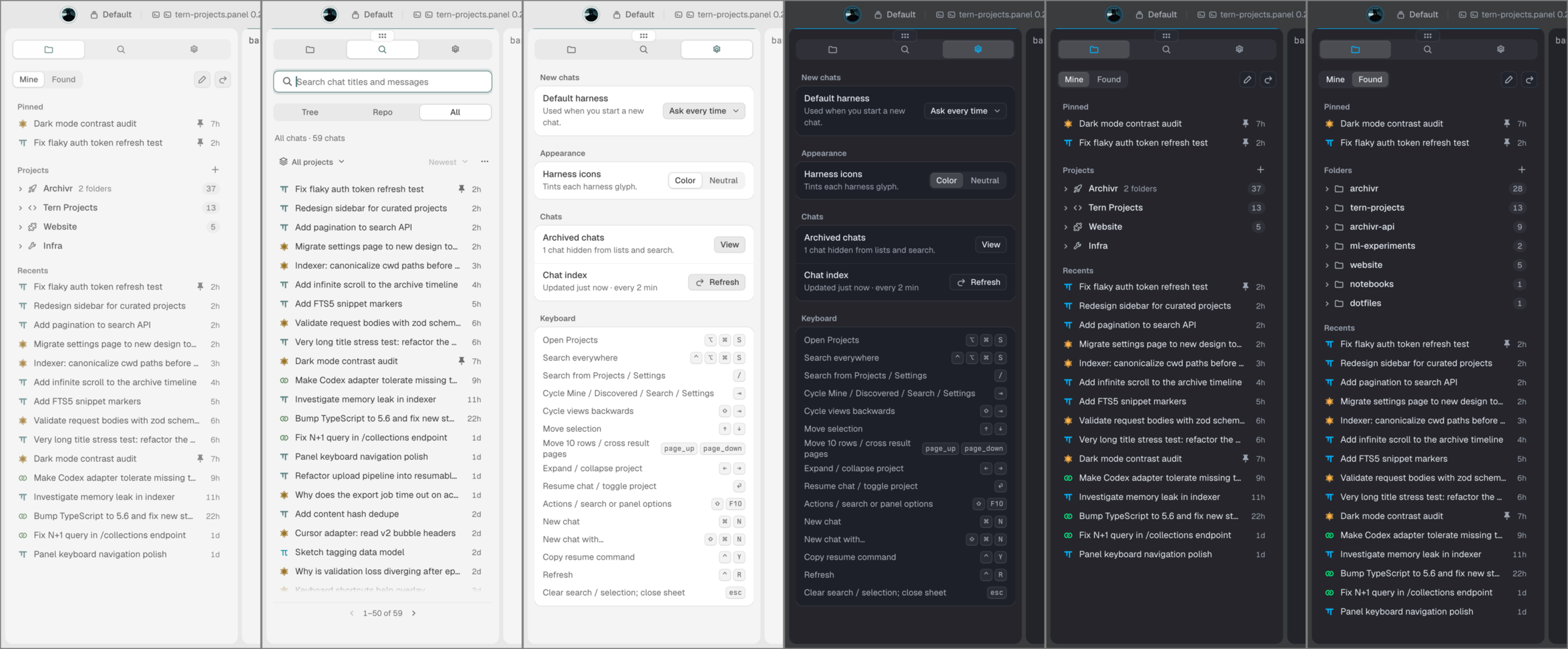
tern-projects sidebar overview in Tern terminal across projects, search, settings, and themes
sidebar overview: project folders, pinned threads, FTS search, and preferences across light and dark modes

what you get

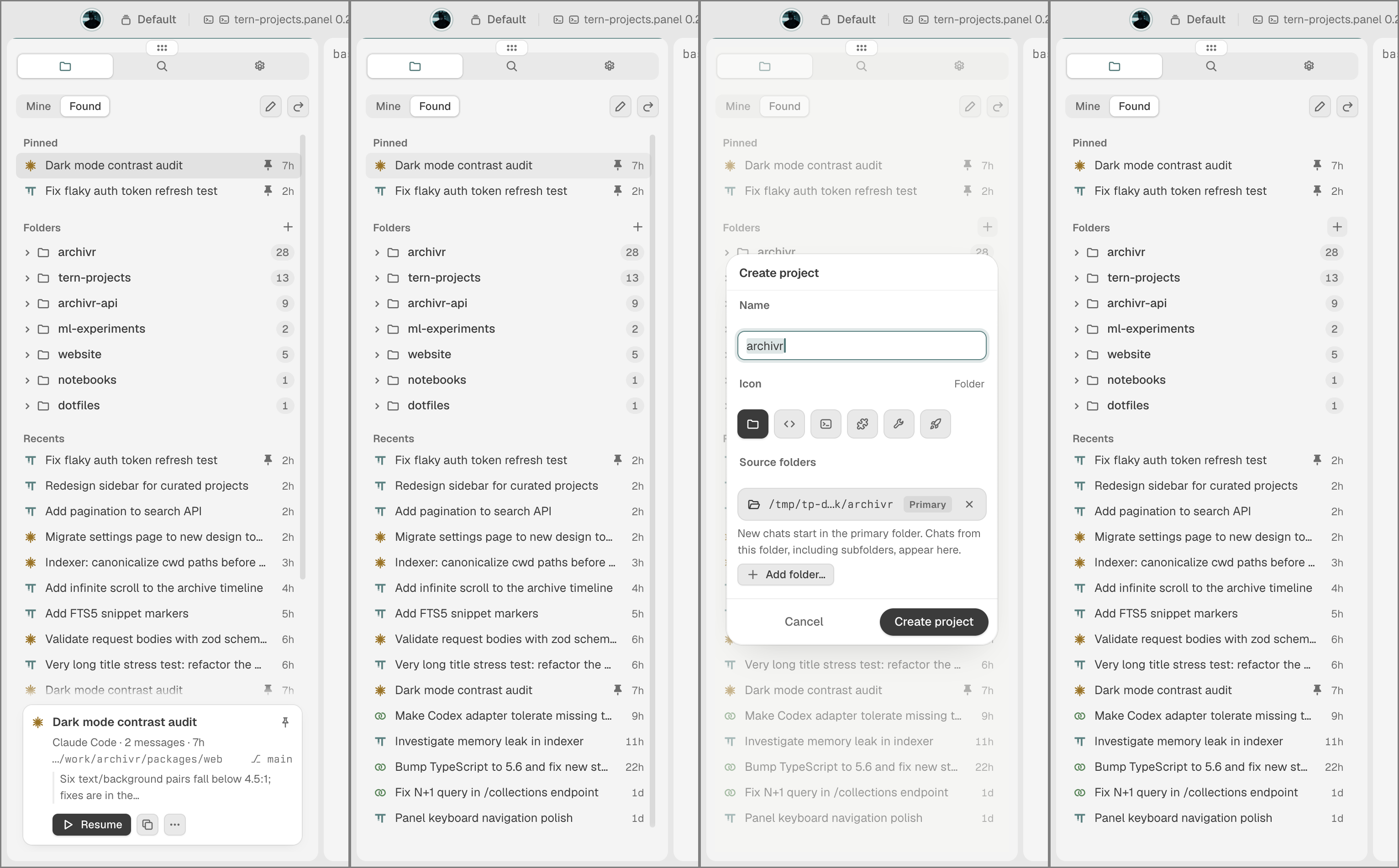
tern-projects multi-folder project configuration modal and session inspect
project workspaces: grouping multiple folders into one project, picking primary launch directories, and resuming active chats

supported harnesses

works out of the box with the tools you already use:


installation

run this inside Tern:

tern plugin install github.com/thegeneralist01/tern-projects

toggle the sidebar anytime with ⌘ ⌥ S (or Ctrl + Alt + S on Linux/Windows). Source code and architecture notes are on GitHub.

‹ back to projects